TD Bank Deposit Slip
Fill out and print your TD Bank deposit slip for free
- Fill out your deposit slip online
- Print your deposit slip on any printer
- Print a mailing envelope to your bank
- Save a PDF copy for your records
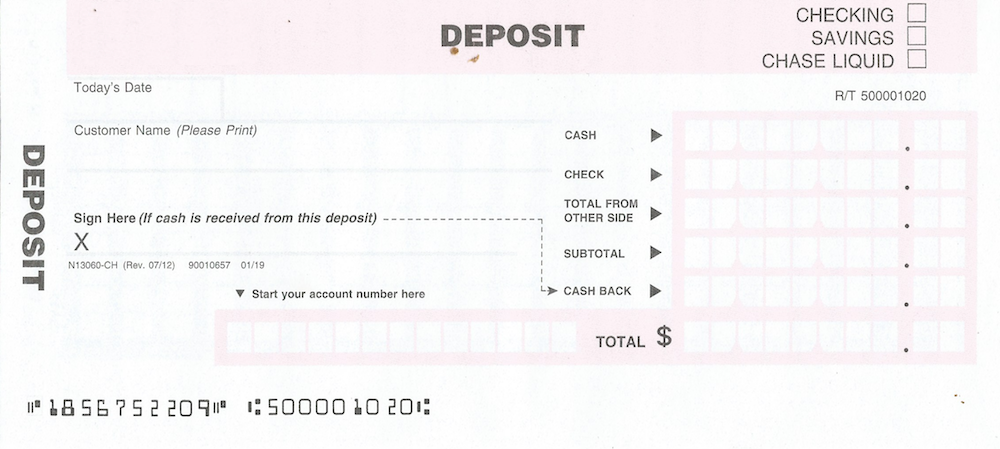
Sample TD Bank deposit slip. Do not use the routing number shown — use your own routing number from your checks or bank statement.
2,090 businesses have used CheckDeposit.io for TD Bank. Last used this week.
How to Get a TD Bank Deposit Slip
Call TD Bank
Call your bank and ask them to mail you deposit slips. You can reach TD Bank at 888-751-9000.
Visit a branch
Go to your nearest TD Bank branch and pick up deposit slips from a teller.
Use a deposit slip from your checkbook
Most checkbooks come with pre-printed deposit slips at the back. These already have your account information printed on them.
BEST: Print one free from CheckDeposit.io
Fill out the form below and print a deposit slip in seconds. No signup, no cost. Works for any TD Bank account.
How to Fill Out a TD Bank Deposit Slip
Follow each step below to fill out your deposit slip. Your information stays private and is never shared.
List each check you're depositing
Write each check on its own line. Include the check number and the exact dollar amount. Most deposit slips have space for 3-5 checks on the front. If you have more, use the back of the deposit slip.
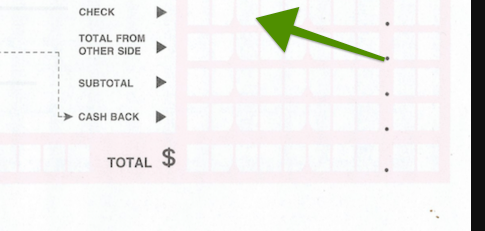
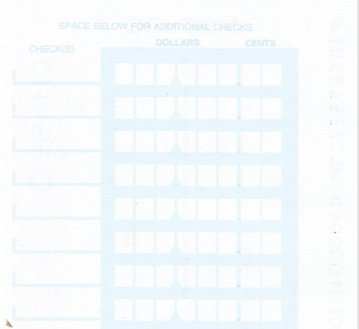
On CheckDeposit.io, you'll add your checks after creating the deposit slip. We'll calculate the totals automatically.
Endorse each check
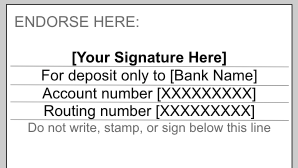
Sign the back of each check in the endorsement area. Write "For deposit only" and your account number below your signature. This protects you — if the check is lost, no one else can cash it.
Total all checks
Add up all your check amounts and write the total on the "Checks" or "Total from checks" line. On CheckDeposit.io, this is calculated automatically.
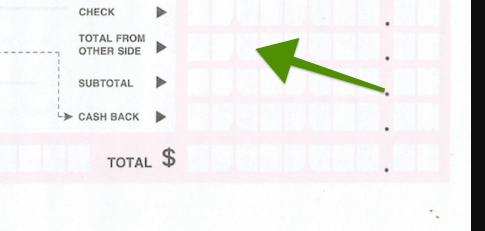
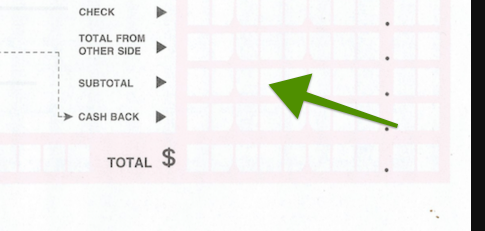
Calculate the subtotal
Add your cash amount and your checks total together. Write this number on the "Subtotal" line. This is the total amount before any cash back.
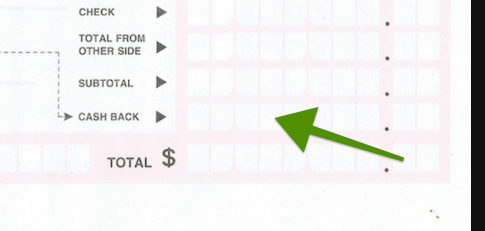
Cash back (optional)
If you want to receive cash back from your deposit, enter the amount on the "Less cash received" line. The teller will give you this amount in cash and deposit the rest. If you don't want cash back, leave this blank.
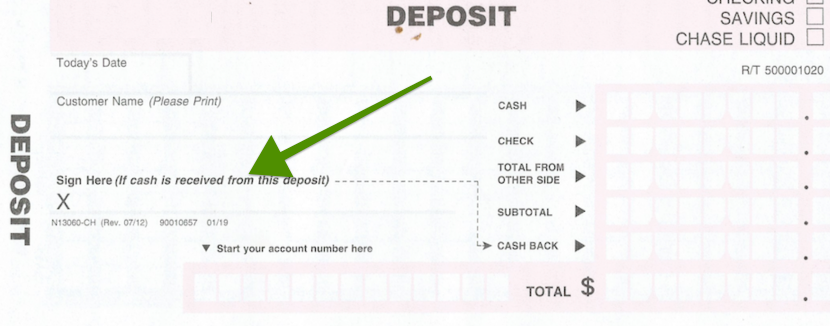
Sign the deposit slip
If you're requesting cash back, you'll need to sign the deposit slip. If you're depositing the full amount with no cash back, a signature is usually not required — but it doesn't hurt to sign it anyway.
Options to Make Your TD Bank Deposit
Option 1: Take it to a TD Bank branch
Advantages
- + Funds may be available same day
- + Get a receipt immediately
- + Can request cash back
Disadvantages
- − Must travel to a branch during business hours
- − Wait in line
- − May not be convenient if nearest branch is far away
Option 2: Use the TD Bank mobile app
Advantages
- + Deposit from anywhere with your phone
- + Available 24/7
- + No need for a deposit slip
Disadvantages
- − Daily deposit limits (often $5,000–$10,000)
- − Can't deposit cash
- − Photo quality issues may cause rejections
Option 3: Mail your deposit
RECOMMENDEDPrint a deposit slip and mailing envelope from CheckDeposit.io, put your checks and deposit slip in the envelope, and drop it in the mail. Your bank will process the deposit when they receive it.
Advantages
- + No trip to the bank
- + No deposit limits
- + Deposit multiple checks at once
- + Keep a PDF record of every deposit
Disadvantages
- − Takes 3–5 business days by mail
- − Can't deposit cash by mail
Print Your Free TD Bank Deposit Slip
No signup. No cost. Just fill in your details above and print.
Go to Form ↑CheckDeposit.io is a free tool powered by Shoeboxed.